
.svg)


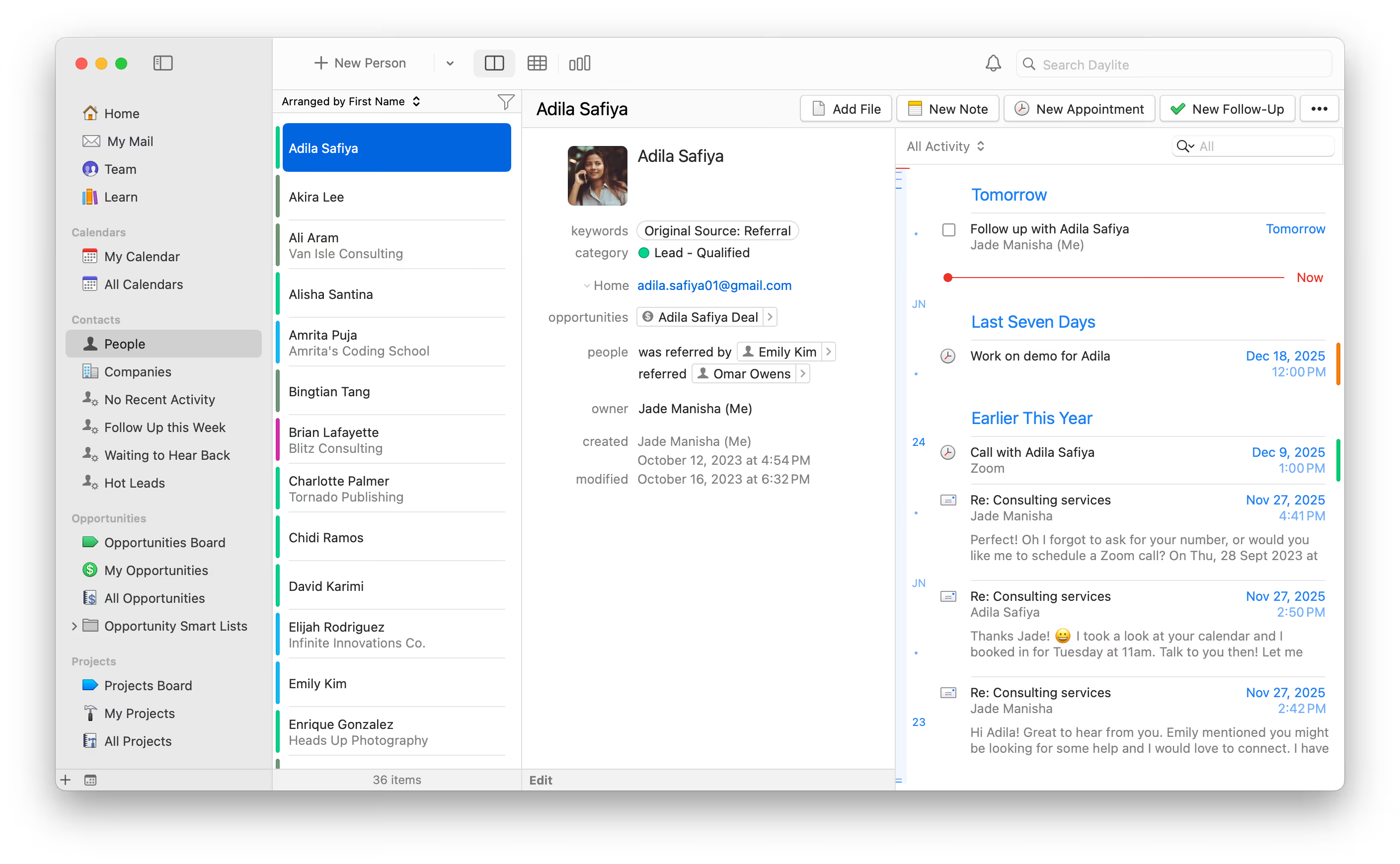

Are you struggling to manage your growing client list?
Managing clients across scattered tools makes it hard to stay on top of communications and follow-ups. As your client list grows, important details slip through the cracks—and you end up spending more time managing relationships than moving them forward.
Built for small businesses on Mac, iPhone, and iPad, Daylite CRM links every call, email, task, and note—so you can track interactions, follow up faster, and free up hours of admin time. And when that time is freed, you’re not just more organized—you’re focused on what grows your business: deeper relationships and closed deals.



Try Daylite.
See the Difference.
.svg)
.svg)

Download Daylite on your Mac, iPhone, and iPad to get started.
Use Daylite daily and save hours every week by cutting down admin work.
Take your saved time and focus it on what brings you revenue.





Stay Effortlessly Organized. Impress Without Stress.
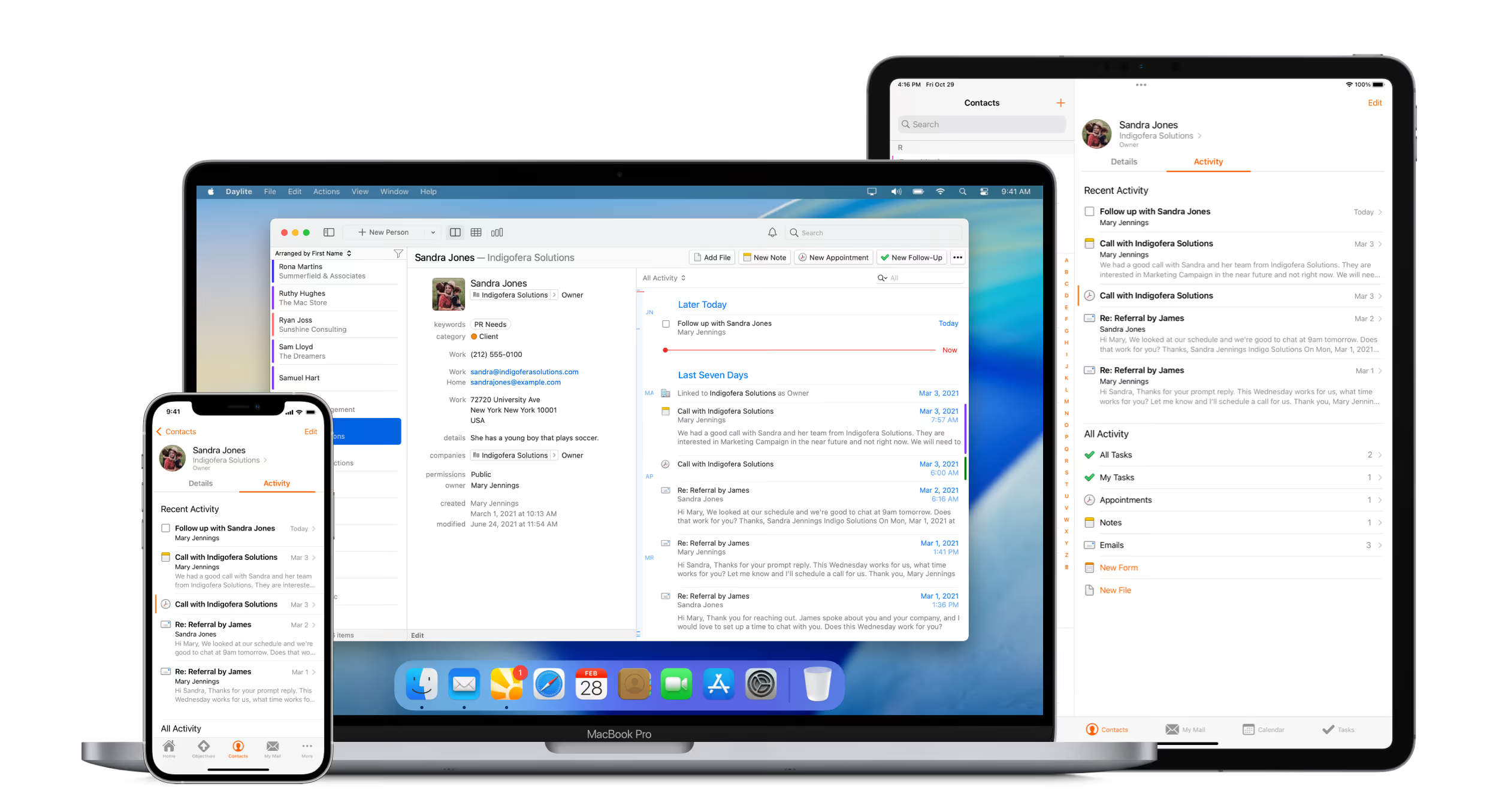
With Daylite, everything you and your team need to know about your clients is at your fingertips—emails, call notes, reminders, follow-ups, contracts, and more, all linked and accessible across any of your Apple devices. That means you instantly have full context for every client interaction, no digging required. Seamless sharing and visibility minimize downtime while maximizing efficiency and profit.

.svg)
.svg)
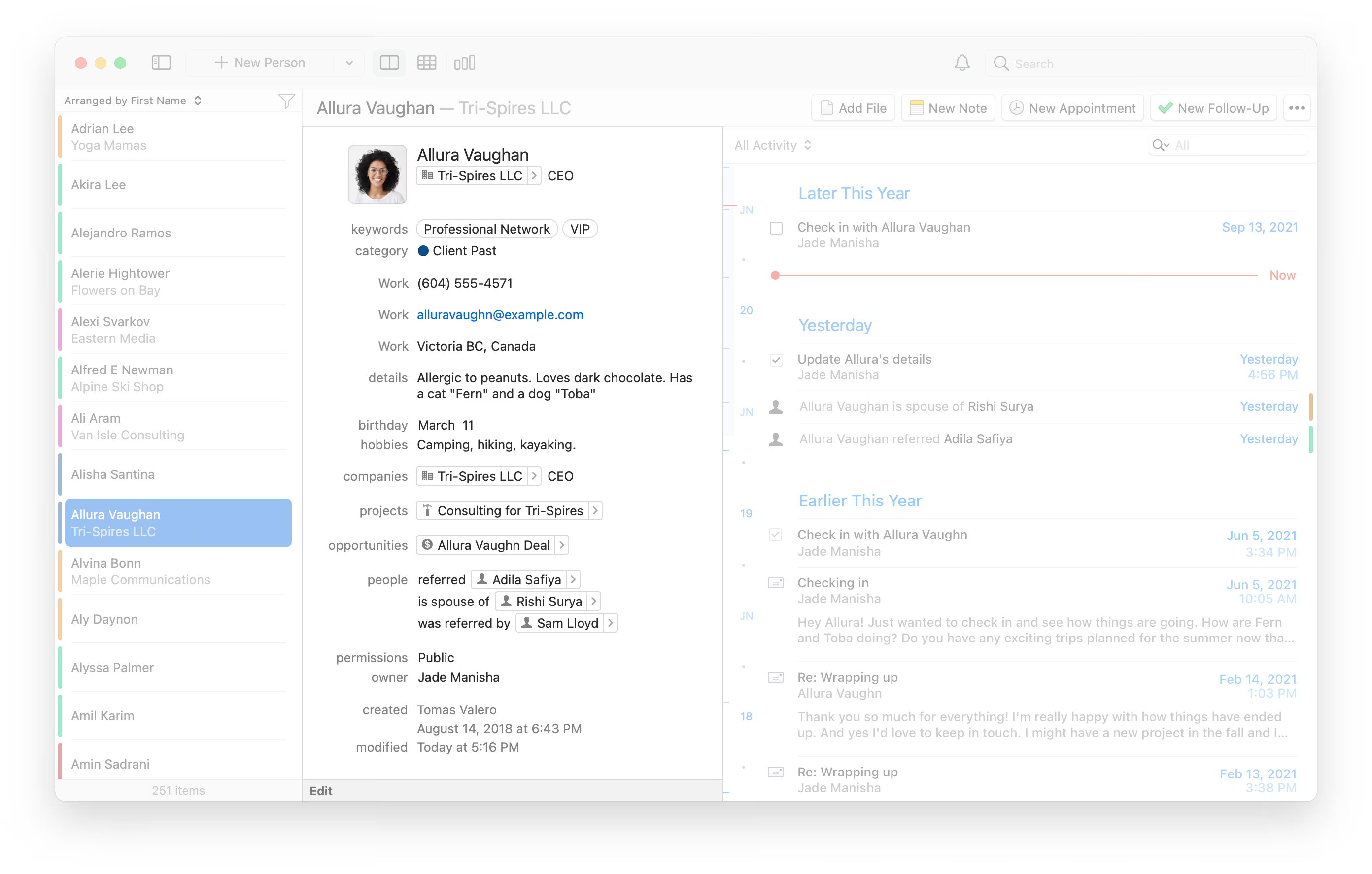
The little things leave a big impression. Whether it’s a thank-you card for a referral, a personalized birthday gift, or asking about their new pet, Daylite helps you remember what matters. By tracking the personal details, Daylite lets you show up thoughtfully—building stronger relationships while you focus on the big picture.
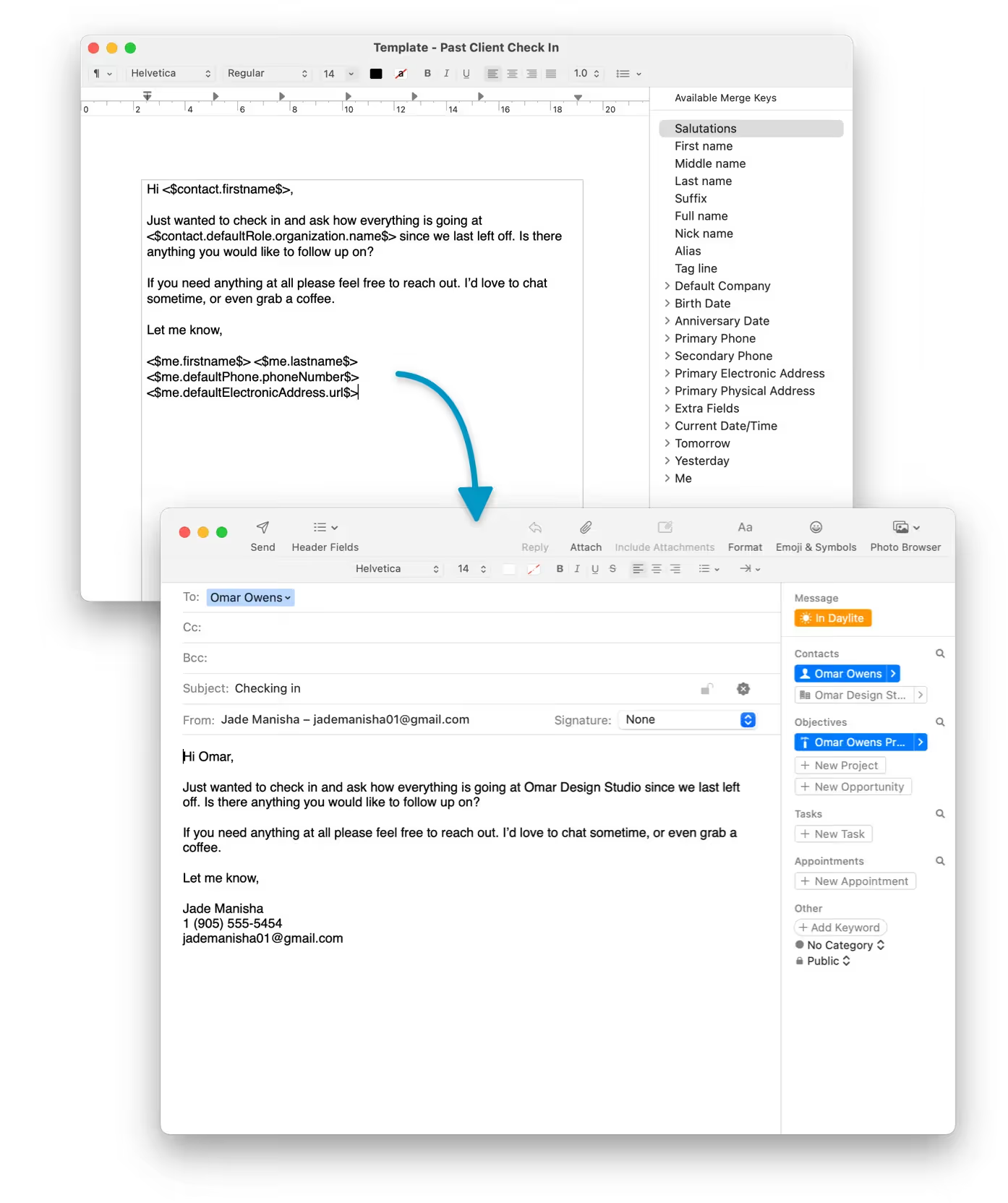
Personalized communication builds loyalty—but doing it at scale can be time-consuming. With Daylite’s Letter Templates, you can send tailored emails fast, without writing from scratch. Create reusable templates for onboarding, renewals, offers, and more—then customize with client details in just a few clicks. Whether it’s one contact or a full Smart List, Daylite keeps your outreach personal, efficient, and on-brand.
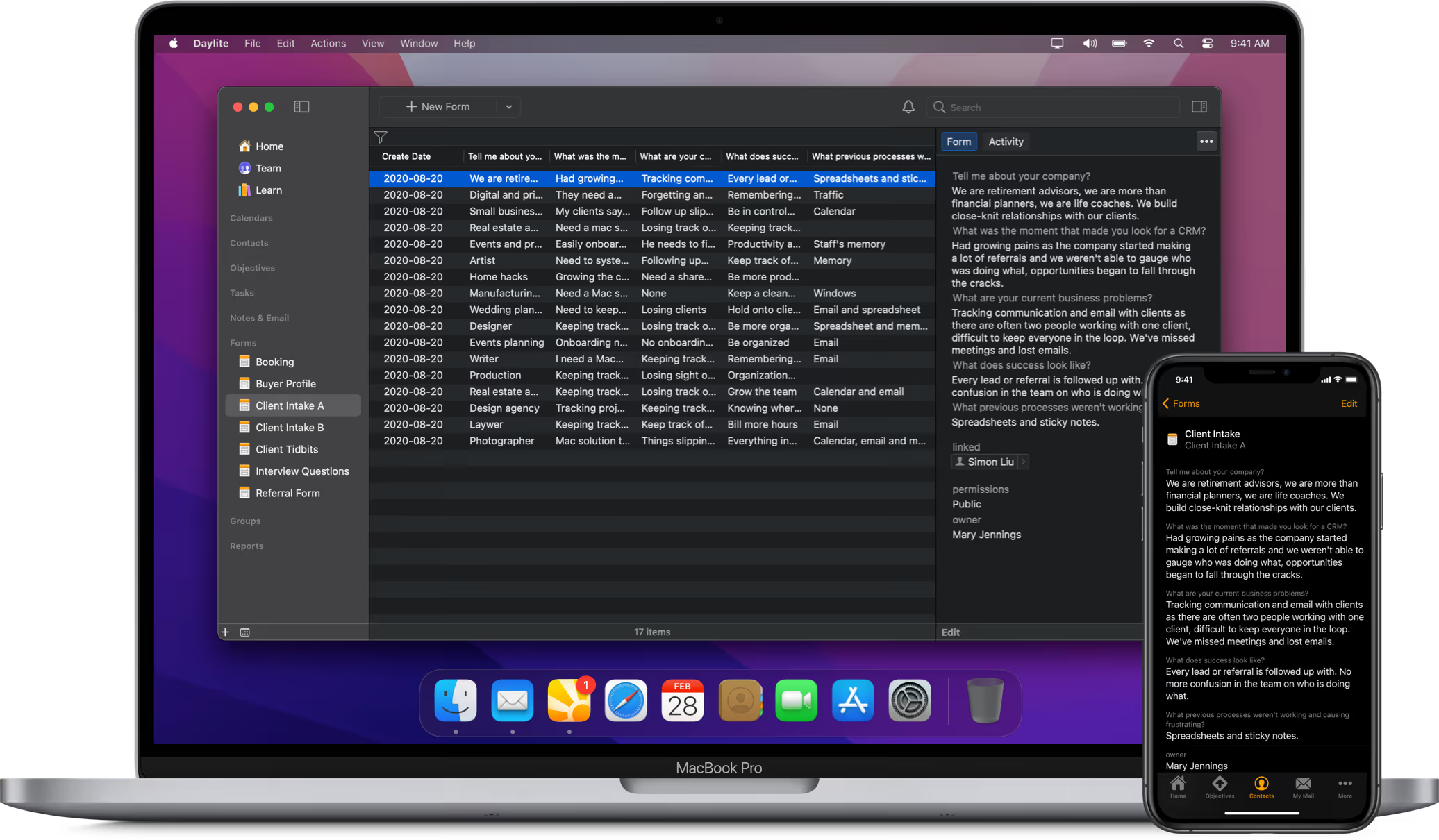
Client intake forms are easily lost, easily forgotten, and easily ignored. Daylite improves the process by helping you and your team systemize all the information you collect from a client in one centralized location. With Daylite, everything is easily accessible across your teams and ensures you’re collecting the right data from the start.
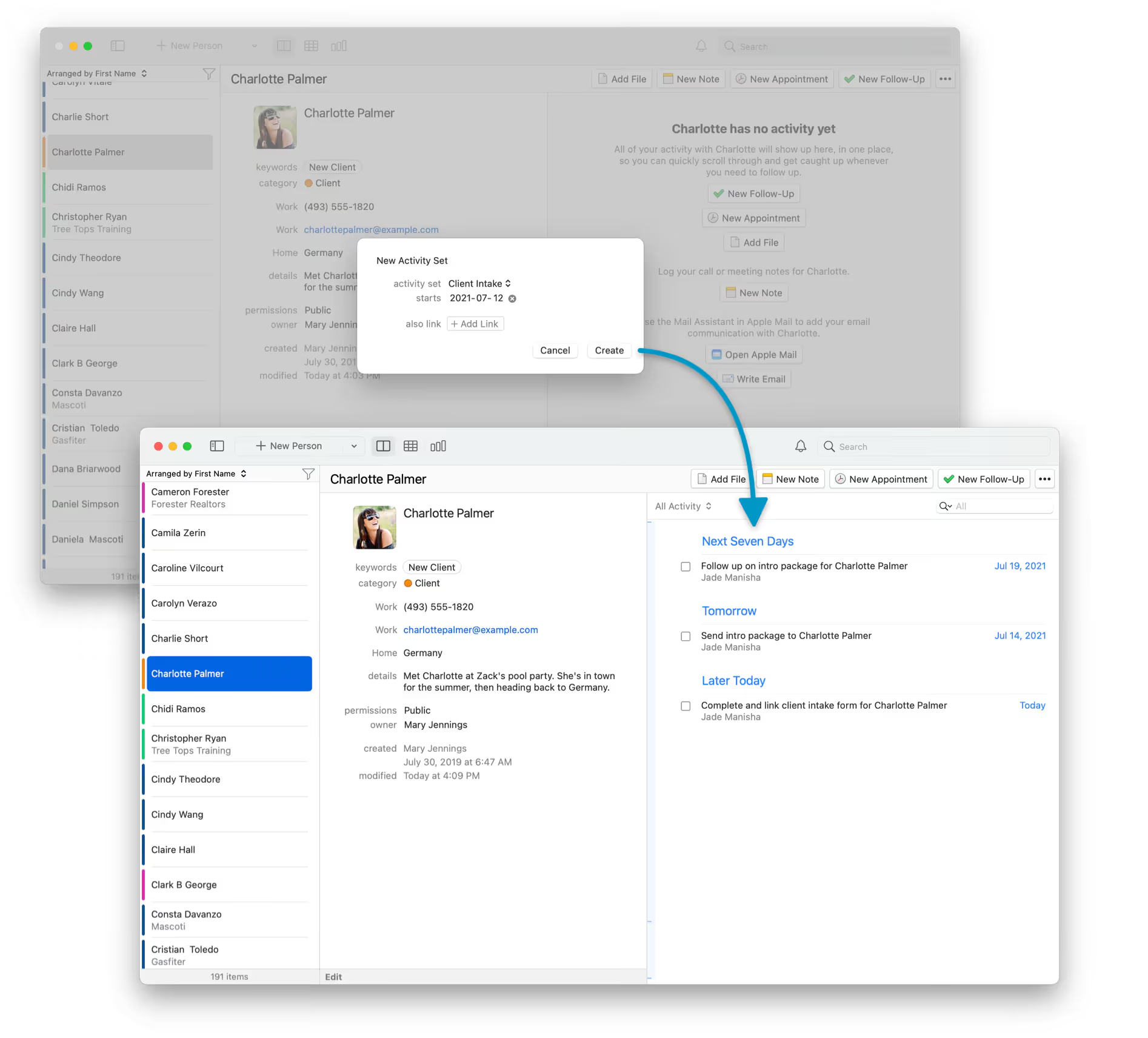
As your business grows, so does the admin workload—client onboarding, project kickoffs, event planning, and more. Daylite’s Activity Sets let you streamline your work by creating reusable checklists of tasks, follow-ups, and appointments. Apply them to any contact, project, or opportunity with a single click to keep your work efficient and consistent.
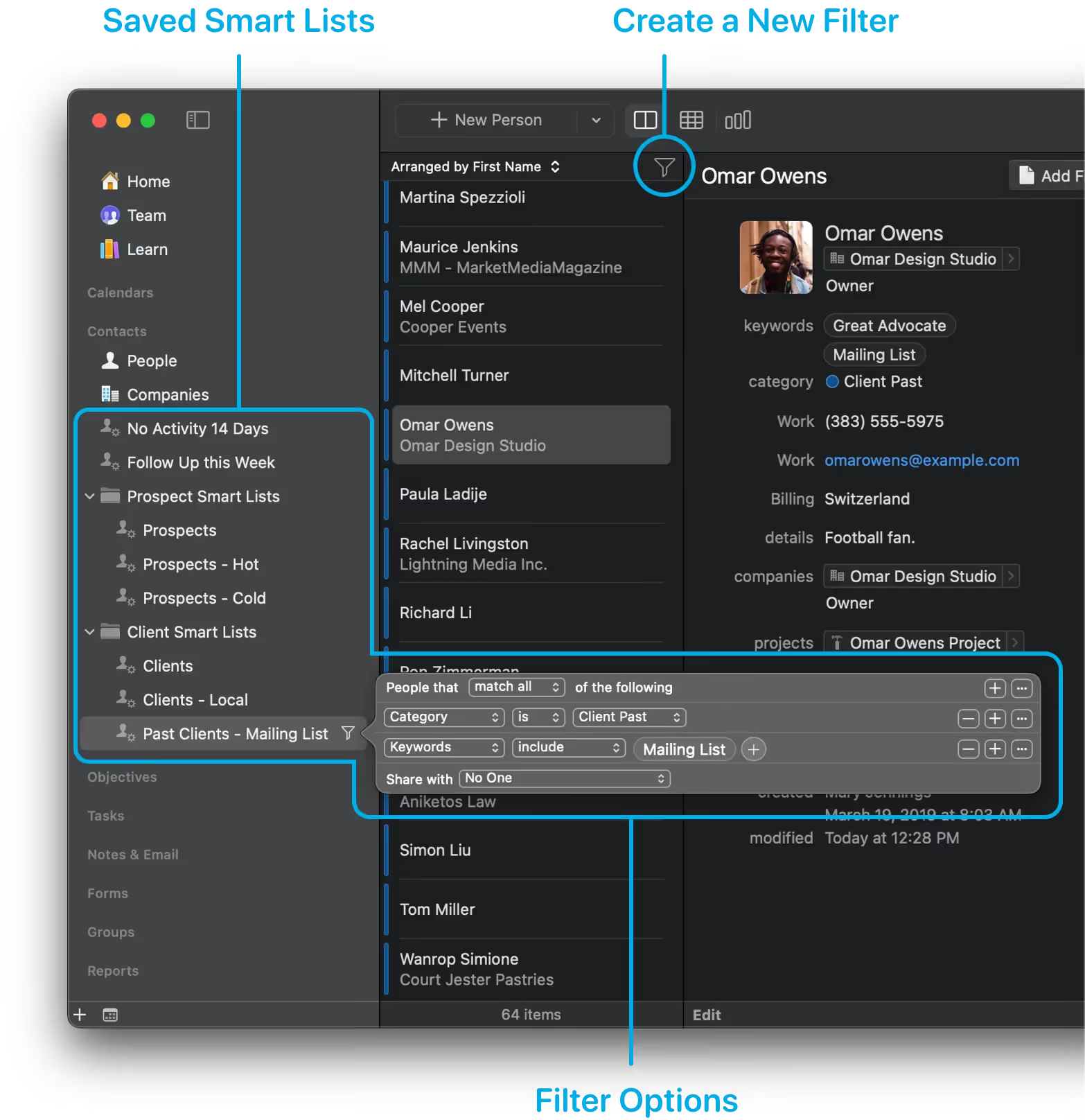
Segment contacts with precision using Daylite. Filter by industry, service history, referral source, last contact, and more. Create dynamic Smart Lists that update automatically, meaning no more manual sorting that wastes time and leaves room for error. No matter what specific information you need about your clients, Daylite ensures you find it every time.
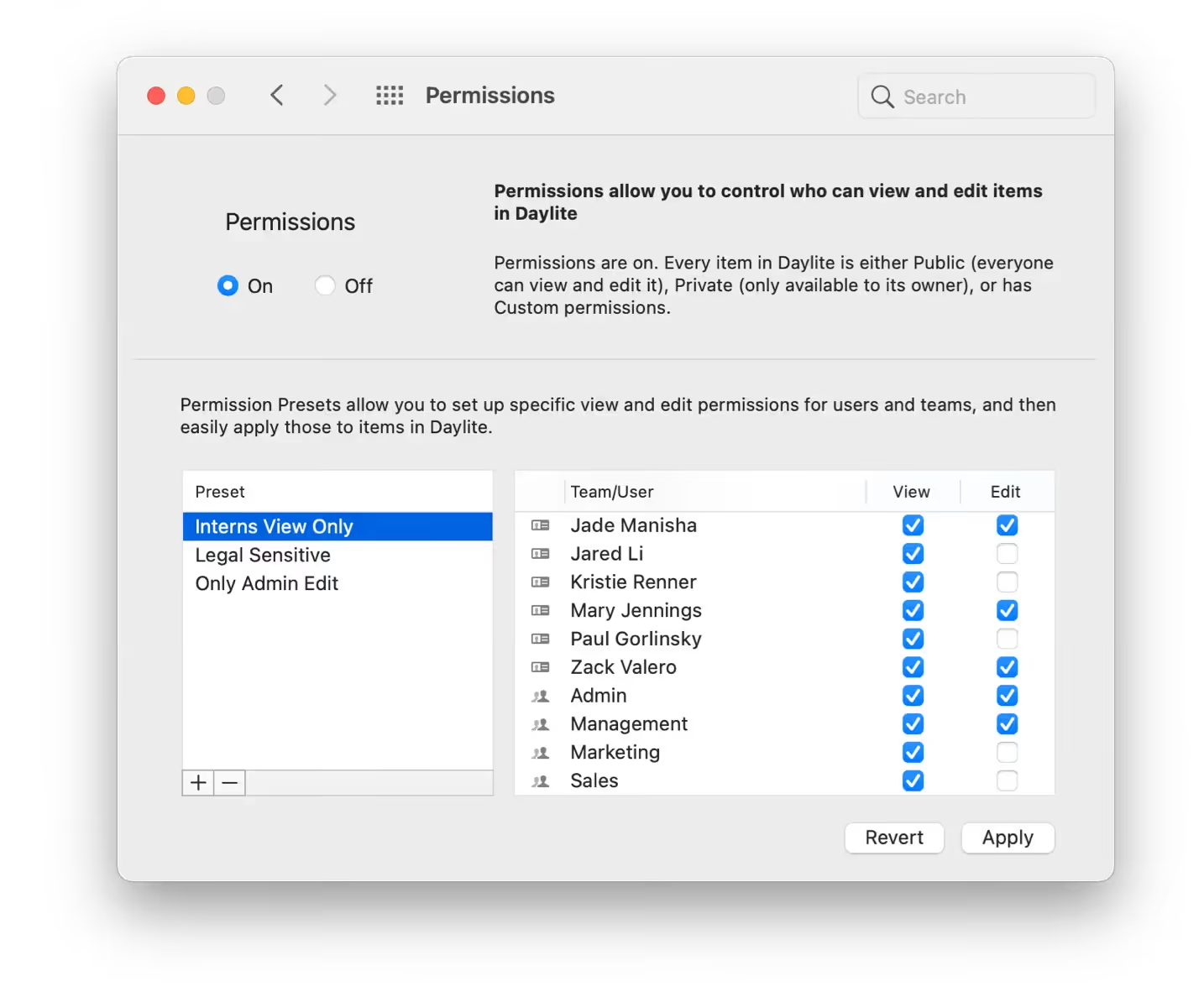
As your team grows, maintaining privacy and control over client information can become more challenging. With Daylite, you can easily set permissions to decide who can view, edit, or add specific details. It’s a straightforward way to protect sensitive data, support collaboration, and maintain clear boundaries.
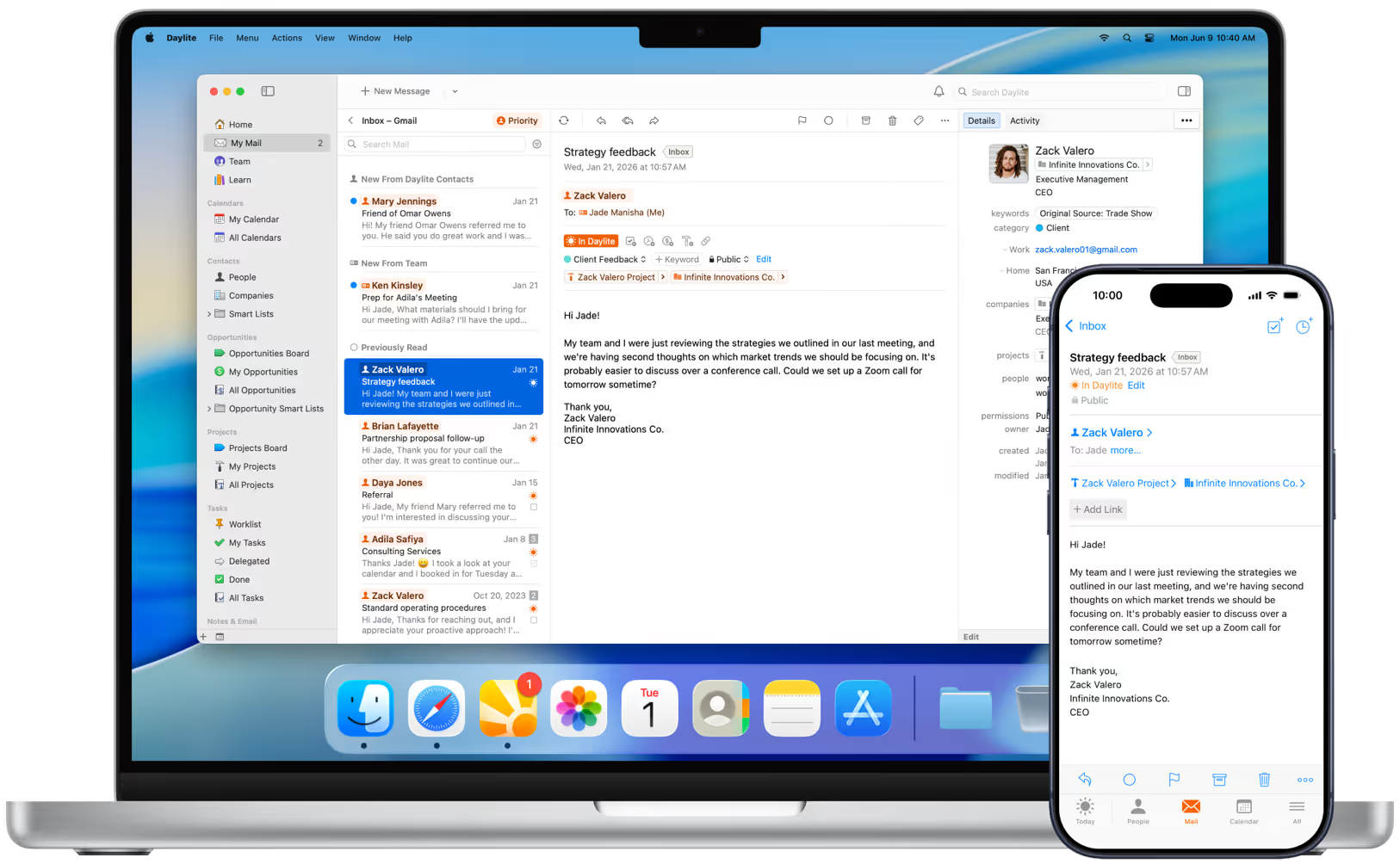
Manage Email with Ease
Your inbox is seamlessly integrated into Daylite on your Mac, iPhone, or iPad—making it easy to send, receive, and link emails to contacts, projects, deals, and tasks. Add new prospects, set follow-up reminders, and share conversations with your team—so everyone stays in sync without the inbox chaos. No more switching apps. No more missed context.

When you or your team save an email in Daylite, it’s linked to the relevant contact, deal, or project—so anyone on the team can view it, no matter who received it.

Turn an email into a follow-up, to-do, or appointment right from the message—then clear it from your inbox. It’s automatically saved in Daylite so it’s easy to find later.

Daylite makes it easy to edit and update client details, create new leads, or even create new deals and projects right from your inbox.