.svg)


Context matters. Contacts, Sales Opportunities, Projects, Mail, Calendar, Tasks, and Notes all link together automatically, giving you the full picture, always.

Won Opportunities convert into a Project with one click, and keep the entire relationship history intact. No re-entering data, nothing gets lost.

Essential tools all bundled together. No stacking subscriptions or paying extra for features you need.
What’s the Main Difference?

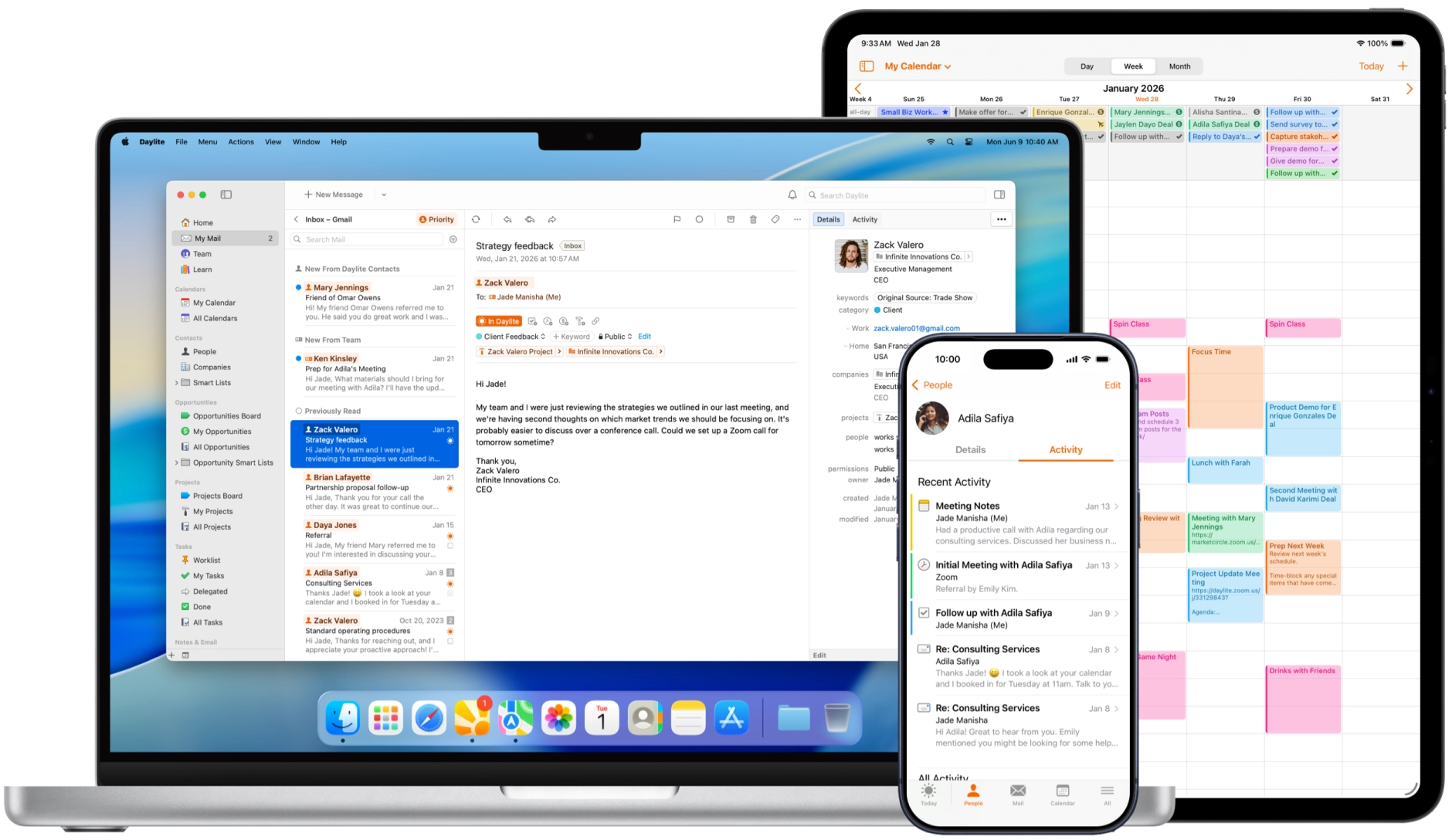
Daylite is an all-in-one business management platform where everything lives in one database. CRM, Opportunities, Projects, Mail, Calendar, Tasks, and Notes connect through intelligent linking that preserves your complete business history. No separate tools to purchase or integrate.
Native Mac and iOS apps work offline and sync through Daylite Cloud. Apple ecosystem integration with Calendar and Contacts. No browser required because the app runs natively on your devices. Everything you need is built in.
Opportunities Board provides visual pipeline management with probability tracking and forecast dates. When opportunities (sales) are won, they can be easily converted directly into projects that continue through pipeline-based delivery with all client context preserved. Activity Sets automate repetitive workflows by generating tasks and appointments from templates.
Daylite is ideal for consultants, agencies, designers, legal firms, and other service professionals on Mac who want their CRM, sales tracking, and project delivery handled in one place without stitching together multiple separate tools.
Zoho offers a suite of standalone tools (CRM, Projects, Invoice, Books) that can be purchased individually or combined through Zoho One. Each tool handles a specific function and requires integration setup to share data between platforms.
Browser-based platform designed for cross-platform compatibility. Offers mobile apps but no native Mac integration. Additional features require third-party extensions from the Zoho Marketplace. Limited offline access requires constant connectivity.
Zoho CRM provides pipeline tools with Blueprint workflows, Zia AI predictions, and powerful automation options. However, when deals close, project teams don't automatically receive the sales context. Moving data to Zoho Projects requires integration configuration, adding steps to your workflow.
Zoho is best suited for large enterprises with multiple departments, dedicated IT resources to manage platform connections, budgets for multiple subscriptions, and a need for extensive third-party integrations and advanced AI-powered automation.
Why Choose Daylite over Zoho?
Get everything you need to run a service business in one platform, already connected. Not scattered across separate subscriptions.
.svg)
.svg)
Stop switching between apps to manage a single client relationship.
Zoho splits business functions across separate tools, with CRM for contacts and sales, and Projects for delivery. Each requires its own subscription and setup. Moving data between platforms means manual integration work, and closing a deal in CRM doesn't transfer context to Projects.
Daylite is built as a single interconnected platform:
.svg)
Taking a client from inquiry to invoice to return customer shouldn't require piecing together separate tools. In Daylite, everything connects and nothing exists in isolation.
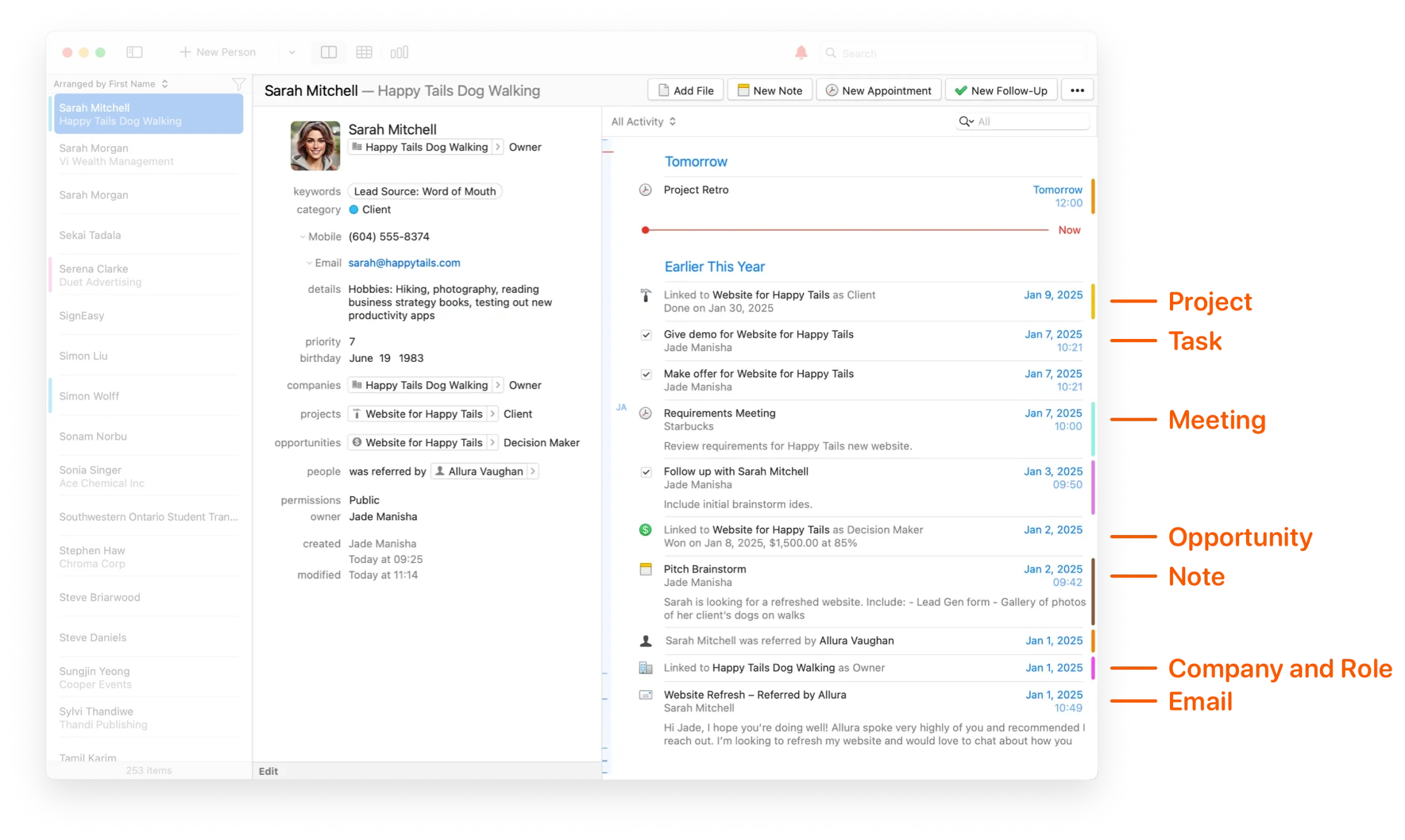
See the full story behind every deal, not just the current pipeline stage.
Zoho CRM offers pipeline management with Blueprint workflows and Zia AI for deal predictions. However, generating quotes requires switching to Zoho Invoice with manual integration to sync data. When deals close, teams must manually connect customer information across platforms.
Every opportunity in Daylite stays connected to the people and history behind it:
With Daylite, your pipeline isn't just a list of deals. It's a complete picture of every relationship and every interaction that got you there.
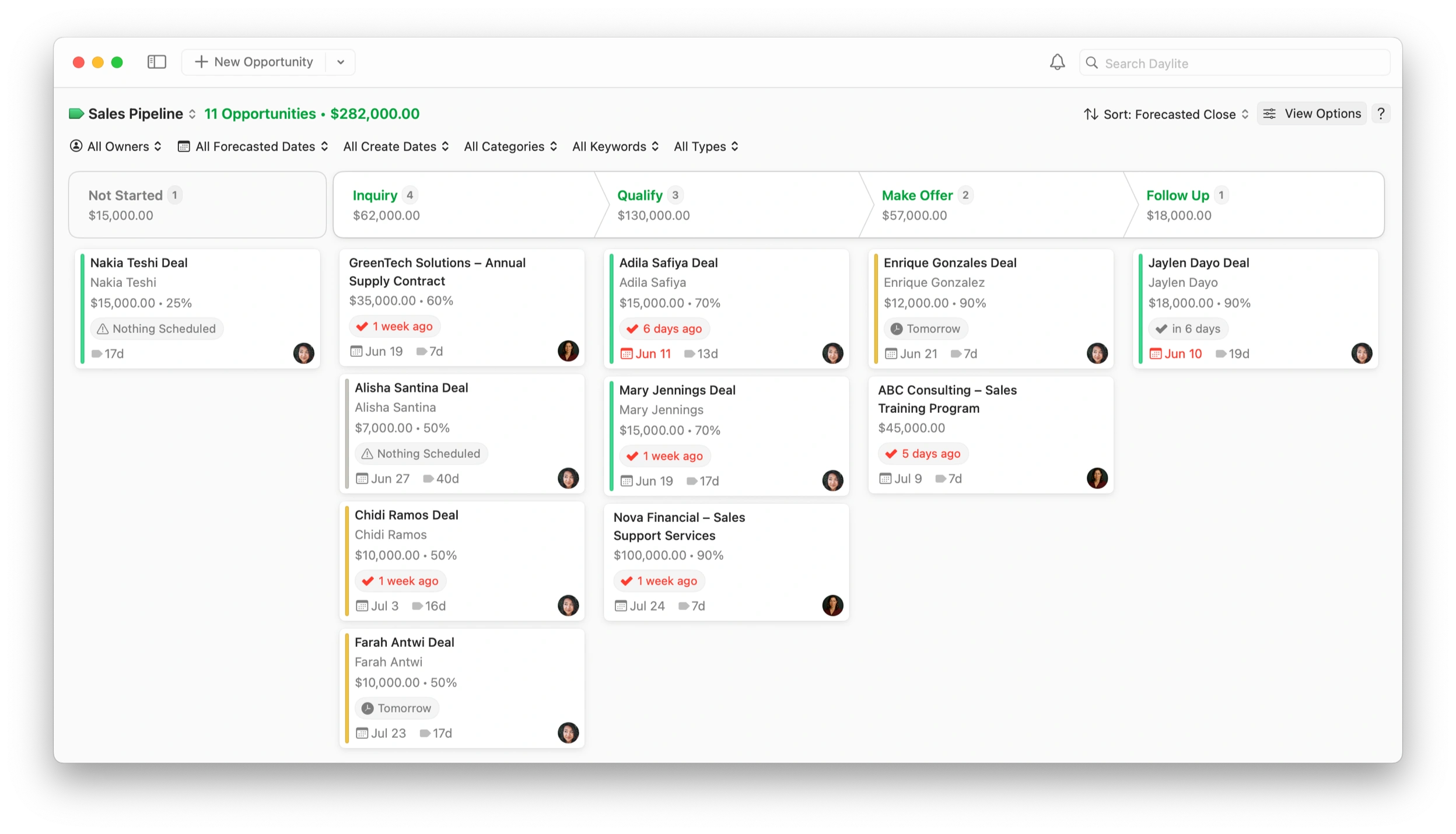
From won opportunity to delivered project with nothing lost in translation.
Zoho Projects operates separately from Zoho CRM. It offers Gantt charts, phases, and task management, but requires integration setup to transfer opportunity data when deals close. Teams must manually link customer information or configure syncs, which increases complexity and the risk of errors or missing relationship history.
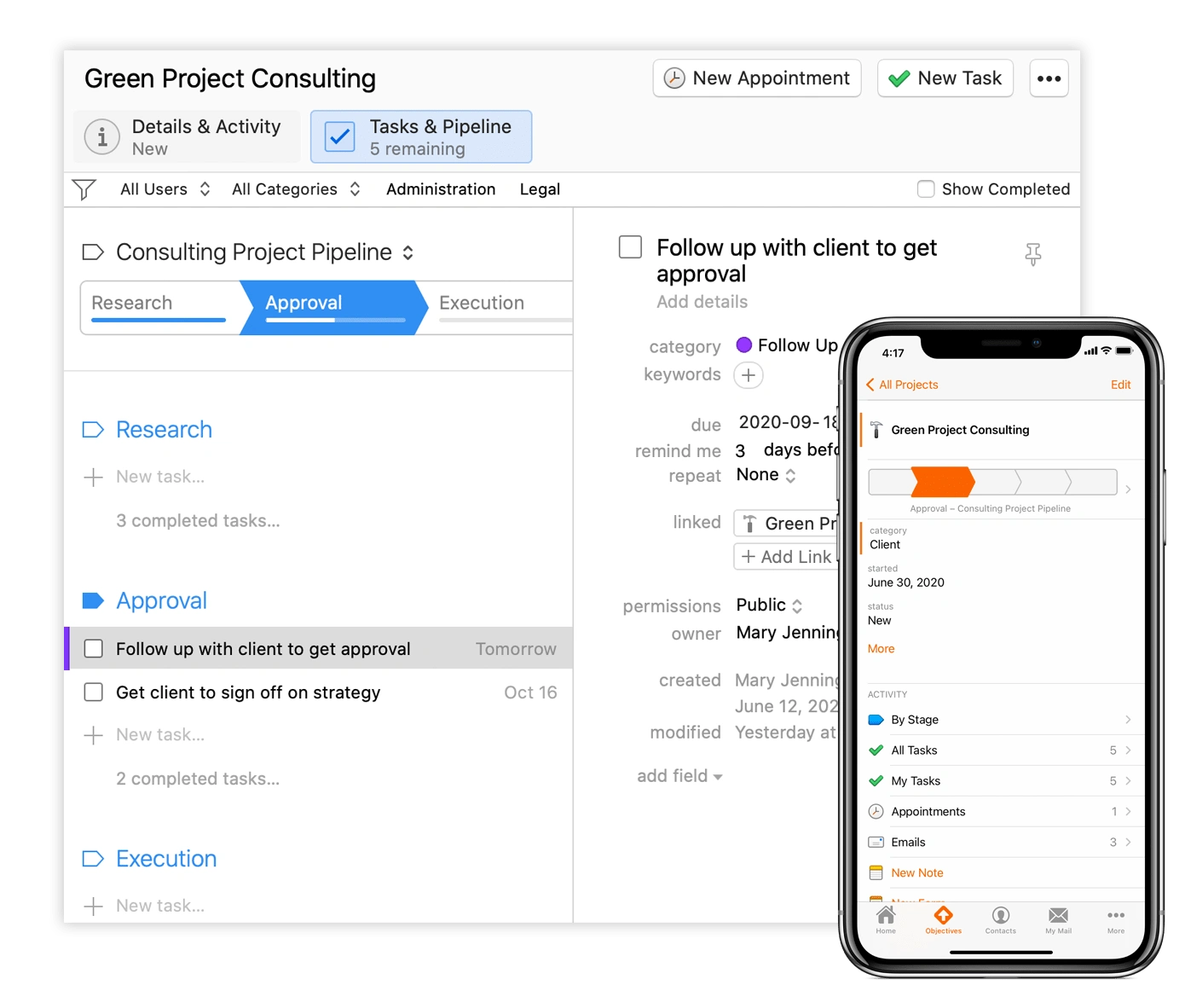
Projects in Daylite inherit everything from the sales process that created them:
No more hunting across apps to find what was promised. Daylite keeps the full sales context attached to every project.

Sign up for a 14-day free trial with full access to all features. Pick your plan based on team size: Leap for solo users, Growth for 1 to 20 users, Scale for 1 to 100 users, or Tailored for custom needs. Install the Mac, iPhone, and iPad apps with complete offline access and seamless syncing across devices.
Import your client records from Zoho or other CRMs using supported file formats. Link contacts to companies, opportunities, projects, tasks, and emails. Create your first Opportunity pipeline to track sales through customizable stages, and set up Projects to manage client work from start to finish.
Turn won Opportunities into Projects and manage every stage of client delivery in one connected system. Track everything as work moves forward, keeping full context without switching tools. Daylite preserves your complete history, enabling smooth delivery and stronger long-term client relationships.

Trusted by the best, across the globe.
See how small service businesses use Daylite to stop losing track of clients, opportunities, and follow-ups.

"You want Daylite because you want a program that works, built on a platform that works and that’s been steady for decades. And you want your CRM to sync and integrate with everything you use to run your practice. Daylite gets rid of lots of headaches. The last thing you need to find out is that you missed a deadline because your CRM is not integrated and not keeping you informed as it should."


"Before Daylite, we were bursting at the seams as far as managing projects went. We couldn’t take on any more. We needed something to streamline how we manage clients, companies, and track all the work for projects – so that we grow, not just sustain our business. That’s what Daylite did for us.”

“I can now run my firm on my iPad or iPhone when I need to, and that’s an invaluable feature when I don’t want to be tethered to a laptop everywhere I go. All of our client information is synced and we are able to thrive as we work outside of the traditional office environment.”

“I usually bring my iPad to court with everything related to my cases. I take notes or create tasks or appointments, and when I’m back in the office, everything is synced with my Mac so I can start working right away.”

“We can check on progress from anywhere we are on whatever device we happen to be using (MacBook, iPad, or iPhone). When we receive a call about a specific property, it's pivotal we all have accurate and up-to-date information.”

"If I’m on a plane, I can work on 50 Opportunities, and when I hit the ground and connect to Wi-Fi again, all of the emails get sent and all of the Daylite data is synced… If it was just a web app, the ability to work offline wouldn’t exist."

"With 30-50 weddings a year, I can't keep track of it all in my head. Daylite holds me more accountable than I could be on my own."

"We’ve seen amazing growth and Daylite has been a pivotal part of that success by allowing us to really ramp up our capacity and keep track of everything."

"My greatest achievement with Daylite is the fact that I can manage over 50 clients with a staff of 7 while my competitors would take 20 senior and junior consultants. This achieved efficiency can only be realized by Daylite sophistication and unleashing the CRM’s capacity for organization. My clients often wonder how we are always on our game, I tell them I wish I was that smart, but in reality, it’s the software that allows me to be one step ahead of them!"

"Daylite has allowed us to increase our volume of business while still maintaining the high level of service our customers have come to expect."

Ready to bring all your business tools together and focus on clients, not software?
Bring your CRM, sales pipeline, and project management into one platform built for how service businesses actually work.




Discover all the differences between Daylite and Zoho in our in-depth, feature-by-feature comparative breakdown article.